Nextjs 的一些技巧
shadcn的组件默认会在顶部加use client,但是在没有用客户端组件的时候,应该把它删掉更合理
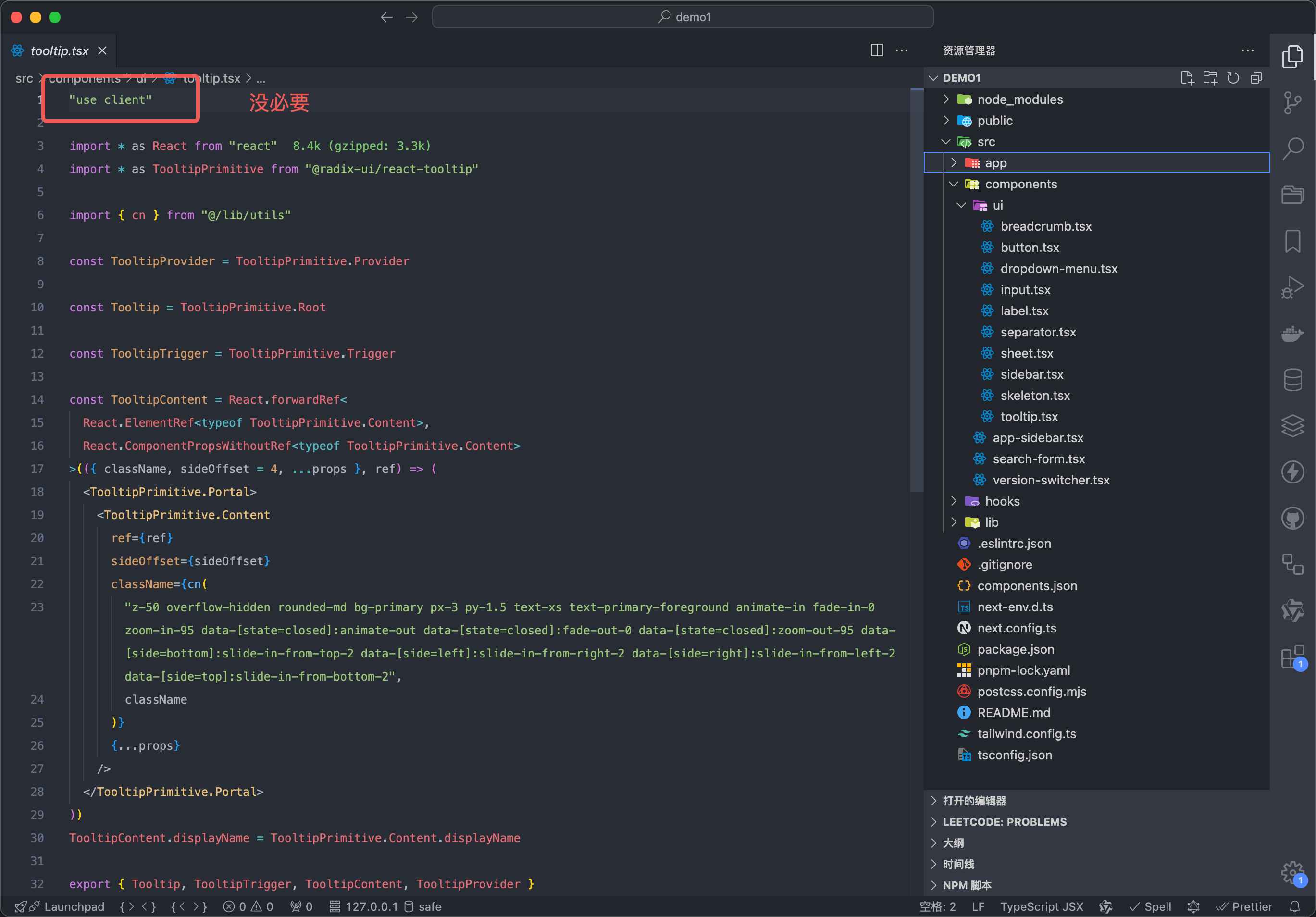
shadcn的目录结构的思想:分为ui和组件,ui是最底层的,比如一个button,组件是由ui组合而成的,比如header,带功能 ui 的也是组件,比如login-button表示说登录button当遇到
mouse事件切换ui的时候,可以考虑使用tailwind的group切换类名,来减少客户端渲染在服务端组件中获取路由参数,
params参数 和searchParams参数由于next直接注入到服务端页面组件了,可以直接获取,但是没有注入pathname,但是可以用next/headers间接获取,也可以组件下沉,把服务端组件传入客户端组件,调用客户端 usePathname
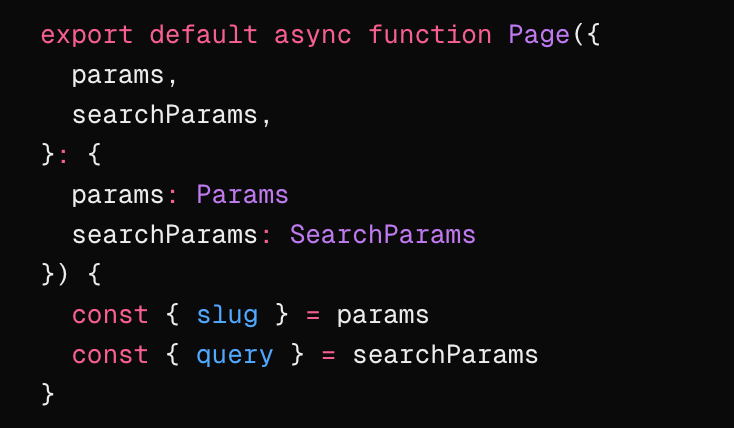
比如判断微信环境
jsx
import { headers } from 'next/headers'

const headersList = headers()

const ua = headersList.get('user-agent')?.toLowerCase()

const isWeChat = (ua: string | undefined) => {
  return ua?.includes('micromessenger')
}

const inWeChat = isWeChat(ua)
import { headers } from 'next/headers'
const headersList = headers()
const ua = headersList.get('user-agent')?.toLowerCase()
const isWeChat = (ua: string | undefined) => {
return ua?.includes('micromessenger')
}
const inWeChat = isWeChat(ua)- 用静态导出功能给外部人员访问
配置 next.config.js
js
output: 'export',
assetPrefix: '../', //cdn前缀 访问静态资源的前缀output: 'export',
assetPrefix: '../', //cdn前缀 访问静态资源的前缀需要删除打包后的html里的crossorigin=""
- 减少客户端组件,抽离客户端组件,并且一个组件里可以写多个函数,。。。。
踩坑
Image组件和HtmlCanvas截图有些问题,在safari浏览器上截图失败- 使用
output: 'export',静态导出功能时,要把Link标签改为原生的a标签
区分环境
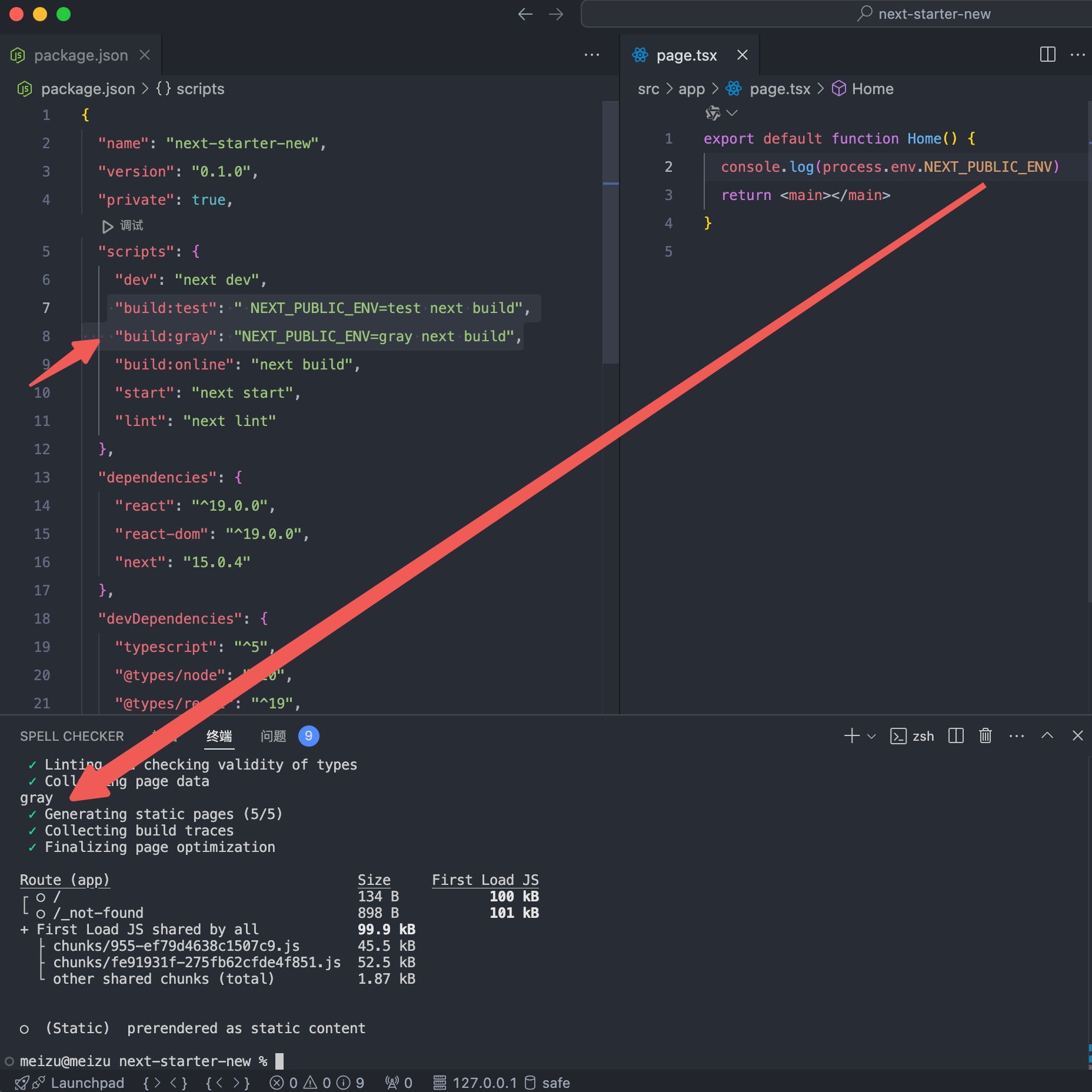
不是区分本地 dev 和 build,这个好区分,这个直接使用 progress.NODE_ENV 区分,但是如果都是 build 怎么办,比如要实现 scripts 里面的 build:test,build:gray
js
 "build:test": " NEXT_PUBLIC_ENV=test next build",
"build:gray": "NEXT_PUBLIC_ENV=gray next build", "build:test": " NEXT_PUBLIC_ENV=test next build",
"build:gray": "NEXT_PUBLIC_ENV=gray next build",然后页面用 p 获取
思考?
Image 组件的 width 和 height 如果遇到响应式,不确定宽高的情况咋办
width 和 height 和图片真实宽高无关,所以只有比例关系有用