主题切换
走 CDN 时打包不一致问题
js
const { execSync } = require('node:child_process')

generateBuildId: async () => {
  try {
    // 由于docker那边没有git,所以不能这样
    const gitHash = execSync('git rev-parse HEAD').toString().trim()
    return gitHash
  } catch (error) {
    console.error('获取Git提交哈希时发生错误:', error)
    return null // 返回null或其他默认值作为构建ID
  }
}
const { execSync } = require('node:child_process')
generateBuildId: async () => {
try {
// 由于docker那边没有git,所以不能这样
const gitHash = execSync('git rev-parse HEAD').toString().trim()
return gitHash
} catch (error) {
console.error('获取Git提交哈希时发生错误:', error)
return null // 返回null或其他默认值作为构建ID
}
}页面 304 问题
js
export const dynamic = 'force-dynamic'export const dynamic = 'force-dynamic'fetch 请求 cookie 跨域问题
注意服务器上(测试环境/灰度环境/外网)也可能需要代理
js
import { cookies } from 'next/headers'

export default async function Page() {
  const res = await requestDetail(cookies().toString())
}

export const requestDetail = async (
  cookies: string,
  activityId: string,
  home: boolean
) => {
  const data = await fetch(`https://xxx`, {
    credentials: 'include',
    headers: {
      'Content-Type': 'application/json',
      Cookie: cookies
    },
    cache: 'no-store'
  })
  return data.json()
}
import { cookies } from 'next/headers'
export default async function Page() {
const res = await requestDetail(cookies().toString())
}
export const requestDetail = async (
cookies: string,
activityId: string,
home: boolean
) => {
const data = await fetch(`https://xxx`, {
credentials: 'include',
headers: {
'Content-Type': 'application/json',
Cookie: cookies
},
cache: 'no-store'
})
return data.json()
}延迟加载
加载阿里云 oss 的包的时候,await import(),可以等用到的时候再加载第三方包
或者使用next/dynamic
jsx
import dynamic from 'next/dynamic'

const ComponentA = dynamic(() => import('../components/A'))
const ComponentB = dynamic(() => import('../components/B'))
const ComponentC = dynamic(() => import('../components/C'), { ssr: false })
import dynamic from 'next/dynamic'
const ComponentA = dynamic(() => import('../components/A'))
const ComponentB = dynamic(() => import('../components/B'))
const ComponentC = dynamic(() => import('../components/C'), { ssr: false })通义千问
js
const res = await fetch(
  'https://dashscope.aliyuncs.com/api/v1/services/aigc/multimodal-generation/generation',
  {
    method: 'POST',
    headers: {
      'Content-Type': 'application/json',
      Authorization: 'Bearer sk-ac2cb7c03f714651b729fdc3b640354b'
    },
    body: JSON.stringify({
      // model: 'qwen-vl-chat-v1',
      model: 'qwen-vl-plus',
      input: {
        messages: [
          {
            role: 'user',
            content: [
              // {
              //   image:
              // 本次输入的图像内容的 url 链接;图像格式目前支持:bmp, jpg, jpeg, png 和 tiff。
              //     'https://ssm.res.meizu.com/admin/2023/12/08/1780834568/RhqIigHob9.jpg?x-oss-process=image/resize,w_378/format,webp'
              // },
              {
                // 本次输入的文本内容;支持 utf-8 编码的中文、英文输入。
                // text: '能不能帮我想个产品名字:最近在做一个Ai工具类的学习产品,主要是提供学习氛围,指明学习路径,规划学习计划,以及打卡的一系列机制'
                text: '我在广东,帮我选一个地方去游玩'
              }
            ]
          }
        ]
      }
    })
  }
).then((res) => res.json())
const res = await fetch(
'https://dashscope.aliyuncs.com/api/v1/services/aigc/multimodal-generation/generation',
{
method: 'POST',
headers: {
'Content-Type': 'application/json',
Authorization: 'Bearer sk-ac2cb7c03f714651b729fdc3b640354b'
},
body: JSON.stringify({
// model: 'qwen-vl-chat-v1',
model: 'qwen-vl-plus',
input: {
messages: [
{
role: 'user',
content: [
// {
// image:
// 本次输入的图像内容的 url 链接;图像格式目前支持:bmp, jpg, jpeg, png 和 tiff。
// 'https://ssm.res.meizu.com/admin/2023/12/08/1780834568/RhqIigHob9.jpg?x-oss-process=image/resize,w_378/format,webp'
// },
{
// 本次输入的文本内容;支持 utf-8 编码的中文、英文输入。
// text: '能不能帮我想个产品名字:最近在做一个Ai工具类的学习产品,主要是提供学习氛围,指明学习路径,规划学习计划,以及打卡的一系列机制'
text: '我在广东,帮我选一个地方去游玩'
}
]
}
]
}
})
}
).then((res) => res.json())动态引入 ali-oss
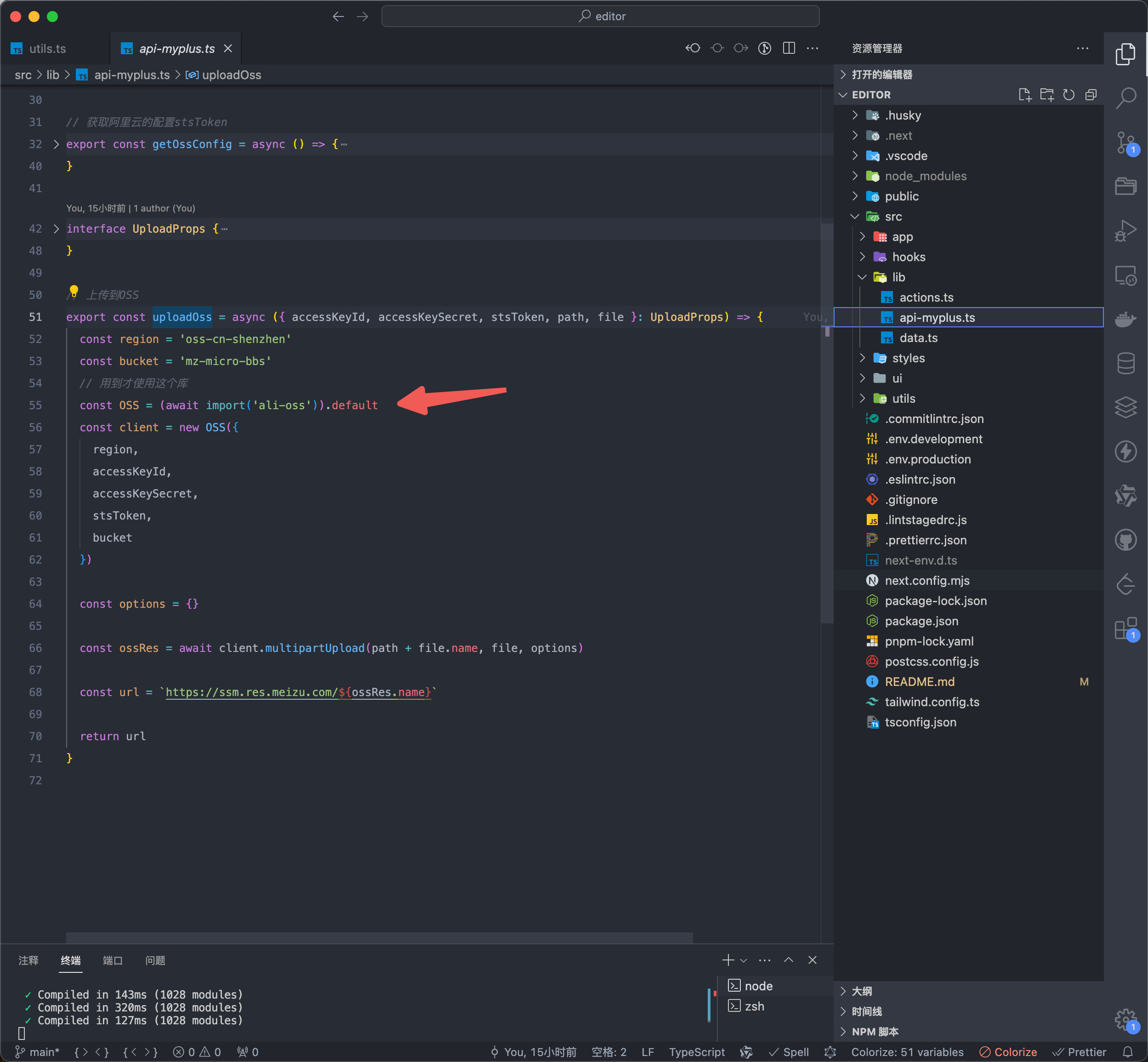
如果直接顶层使用import OSS from 'ali-oss'会使包的体积变大一倍,我们需要用到上传功能的时候才引入
js
const OSS = (await import('ali-oss')).defaultconst OSS = (await import('ali-oss')).default需要注意的是需要加.default
阿里云 oss 图片上传
官方文档:OSS 对象存储 -> 操作步骤 -> 使用阿里云 SDK -> JavaScript
上传图片
js
// 上传图片
export const uploadImage = async (editor: Editor) => {
  const input = document.createElement('input')
  input.type = 'file'
  input.accept = 'image/*'
  input.onchange = async () => {
    if (input.files?.length) {
      const file = input.files[0]
      // 先获取阿里云配置
      const data = await getOssConfig()
      // 再上传到OSS
      const url = await uploadOss({
        accessKeyId: data.key,
        accessKeySecret: data.secret,
        stsToken: data.token,
        path: data.path,
        file
      })

      const reader = new FileReader()
      reader.readAsDataURL(file)
      reader.onloadend = function (e) {
        editor
          ?.chain()
          .focus()
          .setImage({
            // src: e.target?.result as string
            src: url
          })
          .run()
      }
    }
  }
  input.click()
}
// 上传图片
export const uploadImage = async (editor: Editor) => {
const input = document.createElement('input')
input.type = 'file'
input.accept = 'image/*'
input.onchange = async () => {
if (input.files?.length) {
const file = input.files[0]
// 先获取阿里云配置
const data = await getOssConfig()
// 再上传到OSS
const url = await uploadOss({
accessKeyId: data.key,
accessKeySecret: data.secret,
stsToken: data.token,
path: data.path,
file
})
const reader = new FileReader()
reader.readAsDataURL(file)
reader.onloadend = function (e) {
editor
?.chain()
.focus()
.setImage({
// src: e.target?.result as string
src: url
})
.run()
}
}
}
input.click()
}获取阿里云配置
js
const baseUrl = process.env. NEXT_PUBLIC_BASE_URL
export interface OssConfigData {
expiration: string
path: string
secret: string
key: string
token: string
}
export const getOssConfig = async () => {
const res = await fetch(`${baseUrl}/myplus-qing/u/attachment/auth/ossSign`, {
headers: {
'Content-Type': 'application/json'
}
})
const data = await res.json()
return data.data as OssConfigData
}const baseUrl = process.env. NEXT_PUBLIC_BASE_URL
export interface OssConfigData {
expiration: string
path: string
secret: string
key: string
token: string
}
export const getOssConfig = async () => {
const res = await fetch(`${baseUrl}/myplus-qing/u/attachment/auth/ossSign`, {
headers: {
'Content-Type': 'application/json'
}
})
const data = await res.json()
return data.data as OssConfigData
}上传到阿里云
js
interface UploadProps {
  accessKeyId: string
  accessKeySecret: string
  stsToken: string
  path: string
  file: File
}

// 上传到OSS
export const uploadOss = async ({ accessKeyId, accessKeySecret, stsToken, path, file }: UploadProps) => {
  const region = 'oss-cn-shenzhen'
  const bucket = 'mz-micro-bbs'
  // 用到才使用这个库
  const OSS = (await import('ali-oss')).default
  const client = new OSS({
    region,
    accessKeyId,
    accessKeySecret,
    stsToken,
    bucket
  })

  const options = {}

  const ossRes = await client.multipartUpload(path + file.name, file, options)

  const url = `https://ssm.res.meizu.com/${ossRes.name}`

  return url
}
interface UploadProps {
accessKeyId: string
accessKeySecret: string
stsToken: string
path: string
file: File
}
// 上传到OSS
export const uploadOss = async ({ accessKeyId, accessKeySecret, stsToken, path, file }: UploadProps) => {
const region = 'oss-cn-shenzhen'
const bucket = 'mz-micro-bbs'
// 用到才使用这个库
const OSS = (await import('ali-oss')).default
const client = new OSS({
region,
accessKeyId,
accessKeySecret,
stsToken,
bucket
})
const options = {}
const ossRes = await client.multipartUpload(path + file.name, file, options)
const url = `https://ssm.res.meizu.com/${ossRes.name}`
return url
}shadcn
安装
js
npx shadcn-ui@latest initnpx shadcn-ui@latest init使用
js
npx shadcn-ui@latest add buttonnpx shadcn-ui@latest add button